Expo
Install
Section titled “Install”bash npm install hakka-react-native bash pnpm add hakka-react-native bash yarn add hakka-react-native bash bun add hakka-react-native Then install the recommended Expo peers:
npx expo install @react-native-clipboard/clipboard expo-dev-clientClipboard is optional — if your app already uses expo-clipboard, Hakka’s
copy actions use it automatically and you can skip the community package.
-
Add the plugin to
app.jsonapp.json {"expo": {"plugins": [["hakka-react-native", {}]]}}The plugin adds Android debug/release Hakka network artifacts during prebuild. iOS dependencies are handled by React Native autolinking and CocoaPods.
-
Opt in to Android performance collectors (optional)
app.json {"expo": {"plugins": [["hakka-react-native", { "androidPerformance": true }]]}}Performance collectors stay opt-in so the base native capture setup stays small.
-
Rebuild native projects
Terminal npx expo prebuild --cleannpx expo run:iosnpx expo run:android -
Verify it works
Shake the device or press
min the Expo CLI to open the dev menu, then open the Hakka overlay. Make any network request in your app — you should see it appear in the inspector with method, status, and timing.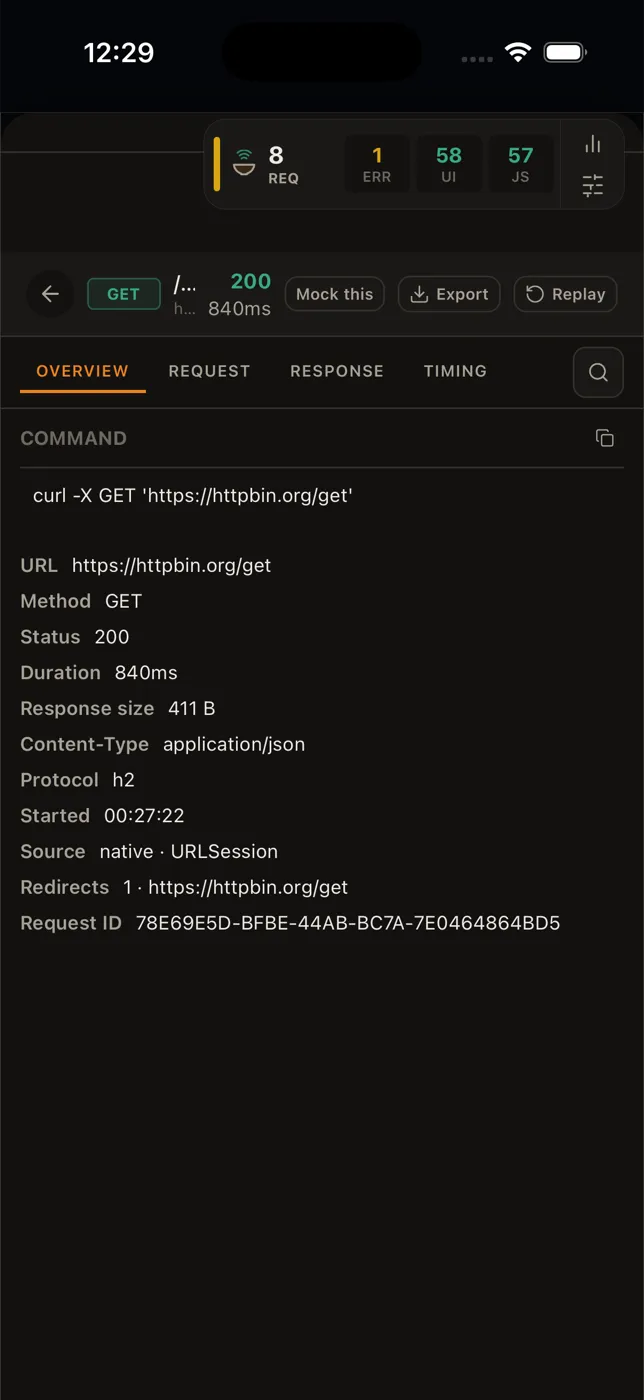
Day-to-Day Development
Section titled “Day-to-Day Development”After your development build is installed, JS-only changes do not require a rebuild:
npx expo startYou only need to rebuild (npx expo run:ios / npx expo run:android) when you change native dependencies or plugin configuration.
Optional UI Peers
Section titled “Optional UI Peers”If you import hakka-react-native/ui, install the UI peers:
npx expo install react-native-gesture-handler react-native-reanimated react-native-safe-area-context react-native-svg react-native-workletsThen add the Worklets Babel plugin last in babel.config.js:
module.exports = function (api) {  api.cache(true)
  return {    presets: ['babel-preset-expo'],    plugins: ['react-native-worklets/plugin'],  }}
SDK 56 Note
Section titled “SDK 56 Note”Expo SDK 56’s Apple native-module improvements do not change Hakka’s current integration path. Hakka remains a standalone React Native package with a TurboModule/codegen bridge over native Android and Swift SDKs.